


Cyber Guard Antivirus
4.3132.00 Reviews
App Specs
- Version
- 1.28
- Updated On
- License
- Free
- Downloads
- 100,000+
- Developer
- medonia ltd
- Categories
- Tools
- Platform
- Android
Screenshots
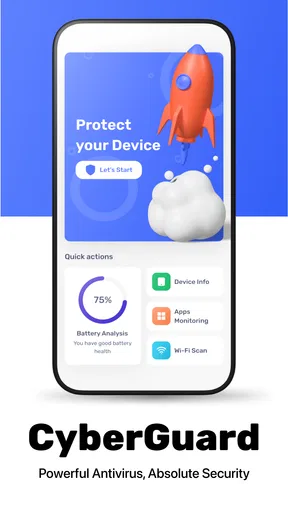
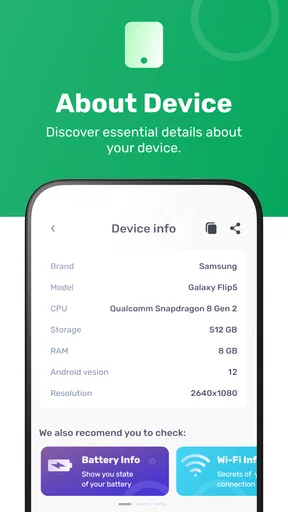
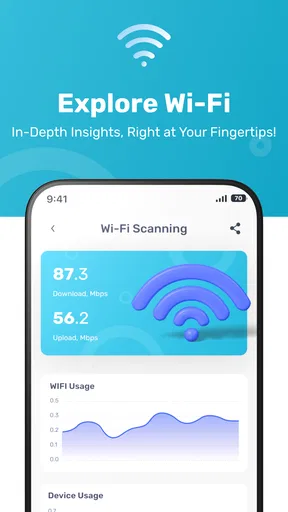
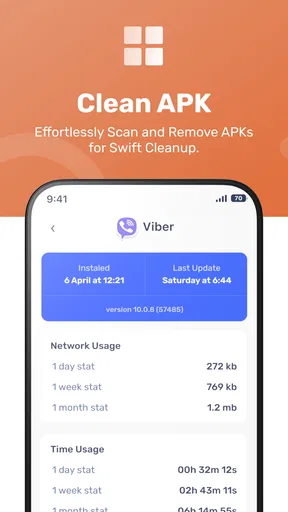
 Analysis by AppCompare
Phone security is easy to ignore until something feels wrong: a suspicious file appears in Downloads, a strange app is installed after a hurried tap, or the device starts behaving differently without an obvious reason. I reviewed Cyber Guard Antivirus as a practical Android security tool, and its main value is straightforward: it gives me a single place to check the phone instead of relying on memory, guesswork, or several unrelated utilities.
That simplicity matters more than a dramatic security dashboard. I do not want to spend my day managing protection settings, and most people do not need another app that creates work. Cyber Guard Antivirus is aimed at everyday Android users who want a visible security check and a little more confidence when handling unfamiliar files or apps. It is free to install, although optional in-app items cost $9.99 each, so it is worth deciding early whether the basic experience covers your needs.
Why a simple security check can save time
The recurring problem with mobile security is not always a major attack. More often, it is uncertainty. I may download an attachment, install an app for a one-time task, or use a phone that belongs to a family member who is less careful with pop-ups. Android already includes useful protections, but those safeguards are not always easy to interpret when I want a direct answer about the current state of the device.
This is where a dedicated antivirus utility can be useful. Instead of opening several system screens and trying to remember what each warning means, I can start with one security-focused app and use it as a routine checkpoint. Cyber Guard Antivirus fits that role better than it fits the needs of someone looking for a large management suite. Its appeal is the reduction of mental friction: open it, inspect the available security controls, and use the scan when the situation calls for one.
I would not treat any antivirus app as permission to ignore basic habits. I still avoid installing software from questionable sources, check the developer name before downloading, and think twice before granting access that seems unrelated to an app’s purpose. The app is most useful as an additional layer of attention, not as a replacement for judgment. That distinction is important because a security tool can reduce risk without making risky behavior harmless.
Cyber Guard Antivirus comes from medonia ltd and sits in the Tools category. It is available for users aged Everyone, which makes the uncomplicated presentation especially relevant for shared devices and less technical users. The app has reached over 100 thousand installs and holds a 4.3 average from more than 600 ratings, with over 100 written reviews. Those figures suggest that it has found an audience, but they do not remove the need to test whether its workflow suits the way you use your phone.
The first setup should be treated as an inspection, not a ceremony
When I first approach a security utility, I prefer not to rush through every screen. The useful setup is the first moment to understand what the app actually offers, what it asks me to do, and whether its alerts are clear enough to act on. Cyber Guard Antivirus is easier to judge when I focus on those practical questions rather than expecting it to transform the phone instantly.
Worth Reading Before You Choose

EA SPORTS FC Mobile 26 Is a Bigger Football Game, but It Takes Time

Flipboard Shows What News Apps Must Do Beyond the Feed

Switching to Android Auto Means Rethinking Your Driving Routine

Google Calendar Makes a Crowded Week Easier to Manage

Ludo King Makes the Most of the Minutes Between Plans

Baby Panda World Brings Quick Play to Modern Phones, but Its Game Library Feels Busy
My recommended starting routine is simple. Open the app when the phone is calm, look through its main security area, and run an initial check before installing anything new. That gives you a reference point. If the app later highlights a problem, you have a better idea of whether the change came after a download, an installation, or another action. This is more useful than waiting until the device is already behaving strangely.
The app’s current version is 1.28 and it supports Android 8.0 or later. That makes it relevant for older devices that are still in everyday use, though compatibility alone should not be confused with identical performance across phones. An older handset may feel the cost of any background activity more quickly than a newer one, so I would pay attention to battery behavior and responsiveness during the first few days rather than assuming every device will react the same way.
One practical tip is to perform the initial check after updating the phone and removing apps you no longer use. A cluttered device makes security decisions harder because old downloads, forgotten installers, and rarely opened apps all compete for attention. Starting with a cleaner baseline helps me understand what deserves follow-up. It also prevents the common mistake of blaming a new security app for a problem that was already present.
I also recommend keeping the app’s role clear in your own routine. If you want occasional reassurance, use it as a manual checkpoint. If you expect constant, highly detailed monitoring, you should spend more time evaluating whether its controls and notifications provide enough depth for that expectation. The more specific your security requirements are, the less sensible it is to choose any tool based only on its name.
Where it fits into an ordinary day
A realistic example is downloading a document from an unfamiliar sender. I might need the file quickly, but I do not know whether the message is trustworthy. Rather than opening it immediately and hoping Android catches anything dangerous, I can use a security-focused workflow first: save the file, check it with the available protection in Cyber Guard Antivirus, and only then decide whether it belongs on the phone. That small pause is exactly the kind of habit that can prevent a rushed mistake.
Another useful moment comes after installing a temporary app. Travel, events, shopping, and work tasks often encourage people to add software they will use once and forget. After the task is complete, I would review the app list, remove what I no longer need, and use Cyber Guard Antivirus for a follow-up check if the installation came from a source I did not know well. The important insight is that the security review should happen after the activity, not only before it. Temporary apps have a habit of becoming permanent simply because nobody revisits them.
It can also help when troubleshooting. Suppose a phone becomes unusually sluggish after several downloads and installations. An antivirus check will not explain every performance issue, but it gives me one sensible place to start. I can combine the result with ordinary maintenance: close unnecessary processes, remove unused apps, check available storage, and review recent changes. This avoids the opposite mistake of assuming that every slowdown is malware.
For a parent or relative who is uncomfortable with Android settings, the value is even more practical. A dedicated security screen can be easier to discuss than a collection of technical menus. I would still show that person how to recognize suspicious messages and avoid unknown installers, but a repeatable check gives them a concrete action when they feel uncertain. The app works best here as a confidence-building tool rather than a mysterious shield running in the background.
Frequent travelers may find the same workflow useful after connecting to unfamiliar networks or downloading tickets and documents. I would not claim that an antivirus scan makes a public connection safe; it does not replace careful browsing or secure account practices. What it can do is add a deliberate checkpoint after a period when the phone has handled more unfamiliar content than usual.
The time saved comes from having one repeatable path
The strongest benefit I noticed is not a flashy feature but a reduction in decision fatigue. Without a dedicated tool, I may jump between storage, app settings, browser downloads, and system warnings. That process is slow, especially when I am trying to help someone else. A security utility gives the task a starting point and a finish line, which makes occasional checks less likely to be postponed.
That does not mean every scan will produce a meaningful discovery. In fact, a normal result can feel uneventful. I consider that a reasonable outcome when the goal is reassurance. The value is in making a sensible check easy enough to repeat after a questionable download or installation. If a tool demands constant attention for routine use, its protective role becomes less attractive because people eventually stop opening it.
A second non-obvious advantage is the way a focused app can improve conversations about security. Instead of telling a less technical user to “be careful,” I can give them a specific sequence: pause, check the item, read the result, and decide whether to keep or remove it. That sequence is not a substitute for education, but it turns vague caution into an action they can remember.
There is also a useful trade-off in keeping the workflow separate from general device maintenance. Storage cleaners and performance boosters often encourage users to change several things at once. Cyber Guard Antivirus is easier to use when I treat it as the security checkpoint and leave unrelated cleanup decisions to Android’s own tools. Separating those jobs makes it less likely that I will delete something important just because I wanted to investigate a warning.
For people who manage more than one Android phone, consistency is another benefit. I can apply the same basic routine to a personal phone, an older backup device, or a family member’s handset. The result is not centralized administration, but it is still better than inventing a new process every time. That consistency saves time precisely because it removes unnecessary choices.
What may still feel limiting
Cyber Guard Antivirus is not automatically the right choice for everyone. Users who already trust Android’s built-in protections and only install well-known apps may see little reason to add another utility. Every additional app consumes attention, and a security tool that is rarely opened may not justify its place on a carefully maintained phone.
I would also be cautious about expecting enterprise-level control, detailed forensic reporting, or a complete privacy-management suite from a general mobile antivirus app. If your work involves sensitive business information, regulated records, or a fleet of managed devices, you need to compare this app with tools designed specifically for administration and policy enforcement. A simple personal security checkpoint cannot fill that role.
Optional purchases are another point to consider. The app is free, but in-app items are priced at $9.99 each. Before paying, I would identify the exact problem you are trying to solve and confirm that the additional option addresses it. Paying for a vague feeling of safety is poor value. If the free experience already supports your occasional checks, there is no need to buy anything simply because the option is visible.
Older devices deserve a little extra observation. Android 8.0 compatibility is useful, but an older phone may have limited storage, a smaller battery reserve, or slower hardware. I would run the app when the phone is charged, avoid judging it during a heavy multitasking session, and watch whether routine use remains comfortable. If a security utility makes the phone noticeably harder to use, the practical protection may be undermined by the friction it creates.
Another limitation is human interpretation. A scan result is only helpful if I understand what action follows. I do not want to delete a file merely because its name looks unfamiliar, nor do I want to ignore a warning because it is inconvenient. Cyber Guard Antivirus can support the decision, but I still need to inspect the source, purpose, and timing of whatever triggered concern. That is why I see it as a guide for safer choices rather than an automatic decision-maker.
Who should install it and who should look elsewhere
I would recommend trying Cyber Guard Antivirus if you regularly download files, help family members with Android phones, install apps for short-term needs, or simply want a repeatable security check without building your own process. It is particularly approachable for someone who finds Android’s deeper settings confusing and would rather begin with a tools app focused on mobile defense.
I would be less enthusiastic for a user who wants extensive customization, centralized controls, or a broad privacy suite. In those cases, a more specialized security product may be a better match, even if it takes longer to learn. Likewise, if your phone is already tightly managed by an employer or school, adding another security layer may create confusion rather than clarity.
The app’s Everyone age rating and free entry point make it easy to suggest to a mixed household, but I would still explain the limits before handing it to a child or inexperienced user. The safest routine includes careful downloading, sensible permissions, software updates, and skepticism toward urgent messages. No single icon can replace those habits.
My final view is positive but measured. Cyber Guard Antivirus removes a recurring annoyance: the need to search through several Android areas whenever I want a straightforward security check. It saves time by offering a repeatable path, and its best use is practical rather than dramatic. I would keep it in mind for everyday Android users who want an extra checkpoint around downloads and installations, especially on shared or older phones.
At the same time, I would not pay for optional items without a clear reason, and I would not choose it as a substitute for professional device management or careful security behavior. The app earns its place when it makes good habits easier to repeat. If that is what you need, this free Tools app from medonia ltd is a sensible one to test.
Pros
- Real-time scanning helps detect suspicious apps and files quickly.
- Web protection can block dangerous links before they load.
- Scheduled scans let users check the device automatically.
- Security alerts are easy to understand for less technical users.
- Useful privacy tools help identify apps requesting excessive permissions.
Cons
- Some advanced protection features may require a paid subscription.
- Background scanning can increase battery usage on older devices.
- Full scans may take longer when the device contains many files.
- Security results can occasionally include false-positive warnings.
- Performance may vary depending on the Android or iOS device.
FAQs for Cyber Guard Antivirus
What is Cyber Guard Antivirus, and what does it do?
Cyber Guard Antivirus is designed to help protect Android and iOS devices from common digital threats, including suspicious files, unsafe applications, phishing attempts, and potentially harmful websites. After installation, users can typically run security scans, review detected risks, and use additional privacy or browsing tools, depending on the version and platform. Its effectiveness may vary according to device permissions, operating-system restrictions, and the specific features included in the downloaded edition.
Is Cyber Guard Antivirus free to download and use?
Cyber Guard Antivirus may offer a free installation with access to basic security functions, while some advanced tools can require a subscription or in-app purchase. Before starting a trial or entering payment details, check the pricing page carefully for renewal terms, billing frequency, and included features. Availability can also differ between Android and iOS, so users should confirm the exact conditions shown in their respective app store.
Does Cyber Guard Antivirus provide real-time protection?
Real-time protection depends on the platform and the version of Cyber Guard Antivirus installed. Android applications can generally monitor downloaded files, installed apps, and certain browsing activity when the necessary permissions are granted. iOS has stricter system limitations, meaning antivirus apps usually focus more on web protection, privacy checks, alerts, and device-security guidance than continuous system scanning. Review the app’s feature list before relying on it as your only defense.
What permissions does Cyber Guard Antivirus require?
Cyber Guard Antivirus may request permissions related to storage or files, installed applications, notifications, accessibility, VPN-based browsing protection, or device security settings. These permissions can be necessary for scanning and threat alerts, but users should approve only requests that match the advertised features. Read the permission explanations carefully, and avoid granting access that seems unrelated. You can also review or revoke permissions later through your device’s settings.
Can Cyber Guard Antivirus replace safe browsing habits or another security solution?
No security application can replace cautious online behavior. Cyber Guard Antivirus can provide useful warnings and scanning tools, but users should still avoid unknown links, unverified downloads, suspicious messages, and reused passwords. Running multiple antivirus or VPN-style security tools at the same time may cause conflicts, battery drain, or duplicate notifications. Check whether your device already includes built-in protection, and keep the operating system and applications updated.


